



Day 1 · Discover the Embedded World
The Technology Hidden Around You
You may be studying Digital Electronics, Microprocessors, Microcontrollers, C Programming, Signals, Communication Systems and Electronic Devices as part of your engineering degree.
But have you ever stopped to ask: Where are these subjects actually used in industry?
When you look at a car, smartwatch, washing machine, drone, medical device or industrial machine, you see a finished product. An Embedded Engineer sees something different.
Before We Begin
How Many Computers Have You Used Today?
Think before checking the answer.
You may immediately think: Smartphone + Laptop = 2.
But what about your smartwatch, Wi-Fi router, television, washing machine, car, air conditioner or Bluetooth earbuds?
Many computers around us do not look like computers. They are hidden inside products and designed to perform specific functions.
Simple Definition
What Is an Embedded System?
An Embedded System is a computing system designed to perform a specific function as part of a larger product or system.
For connected products, communication interfaces such as Wi-Fi, Bluetooth, UART, CAN or Ethernet may also be part of the system.
Everyday Examples
Embedded Systems Are Already Around You
When students understand this, everyday products start looking different. A washing machine, smartwatch, automobile or medical device is not just hardware. It is electronics and software working together.
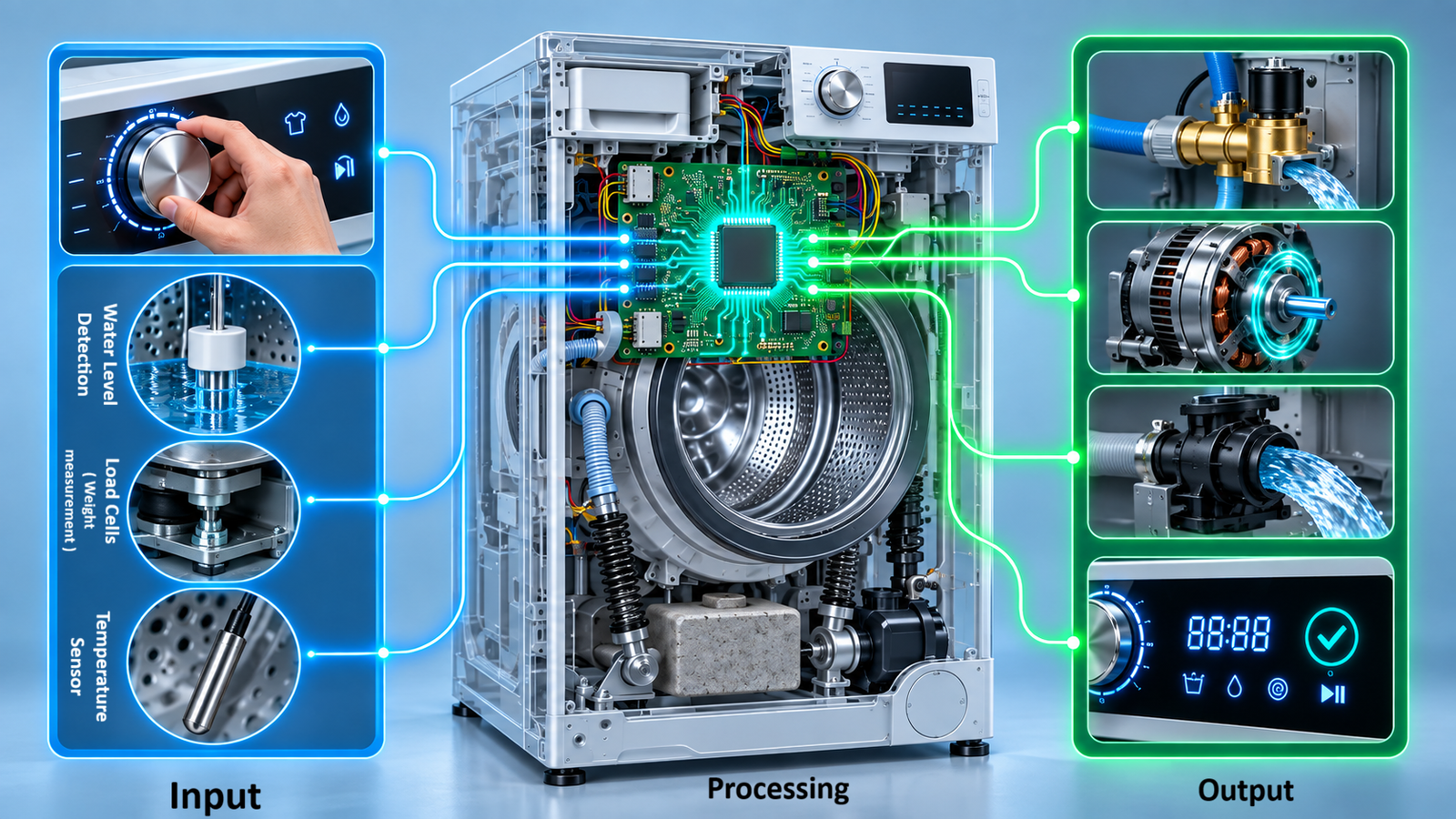
Washing Machine
Buttons and sensors provide input. The controller runs firmware to manage water flow, motor control, timing, display and buzzer output.
Smartwatch
Motion sensors, optical sensors, touch input, processor, display, Bluetooth and battery electronics work together continuously.
Automobile
Modern vehicles use electronic controllers for powertrain, braking, airbags, body electronics, infotainment, EV battery systems and driver-assistance functions.
Medical Device
A patient monitor converts physical signals through sensors, electronics, ADC, processor software, display, alarms and communication.
Hardware + Firmware
Hardware Alone Does Not Make a Smart Product
Suppose we have a simple setup: Button + STM32 Microcontroller + LED.
The hardware remains exactly the same, but firmware can change the product behaviour.
Firmware Version 1
Press button → Turn LED ON
Firmware Version 2
Single press → LED ON
Double press → LED blink
Long press → LED OFF
What is the “brain” of an embedded product?
People commonly call the microcontroller or processor the “brain”. That is useful as a beginner analogy, but a processor alone cannot create the complete product.
The magic comes from sensors, electronics, processor, firmware, output devices and communication working together.
Academic → Industry
Why Did We Study Digital Electronics and Microcontrollers?
This is a question many students ask during engineering. The answer becomes clear when you connect academic concepts to real systems.
| Academic Concept | Where It Appears in Real Systems |
|---|---|
| Logic Gates | Control logic and digital systems |
| Flip-Flops / Registers | State storage, processor registers and peripheral configuration |
| Multiplexers | Signal selection, peripheral routing and pin alternate functions |
| ADC | Analog sensor acquisition |
| Timers / PWM | Periodic operations, motor control, LED brightness and power control |
| Interrupts | Immediate response to external or internal events |
| UART / I²C / SPI / CAN | Debugging, sensors, displays, memory, automotive and industrial communication |
A few “Do You Know It?” connections
Android and Linux
Android’s software stack is built on a modified Linux kernel. This creates a direct career connection to Embedded Linux.
Intel 4004
The Intel 4004, introduced in 1971, is widely recognized as the first commercially available microprocessor.
Binary Subtraction
In fixed-width binary arithmetic, subtraction can be implemented using addition and two’s complement. Digital logic concepts are connected to processor design.
Pin Multiplexing
A physical MCU pin may support GPIO, UART, SPI, I²C, timer or ADC functions depending on the device and pin configuration.
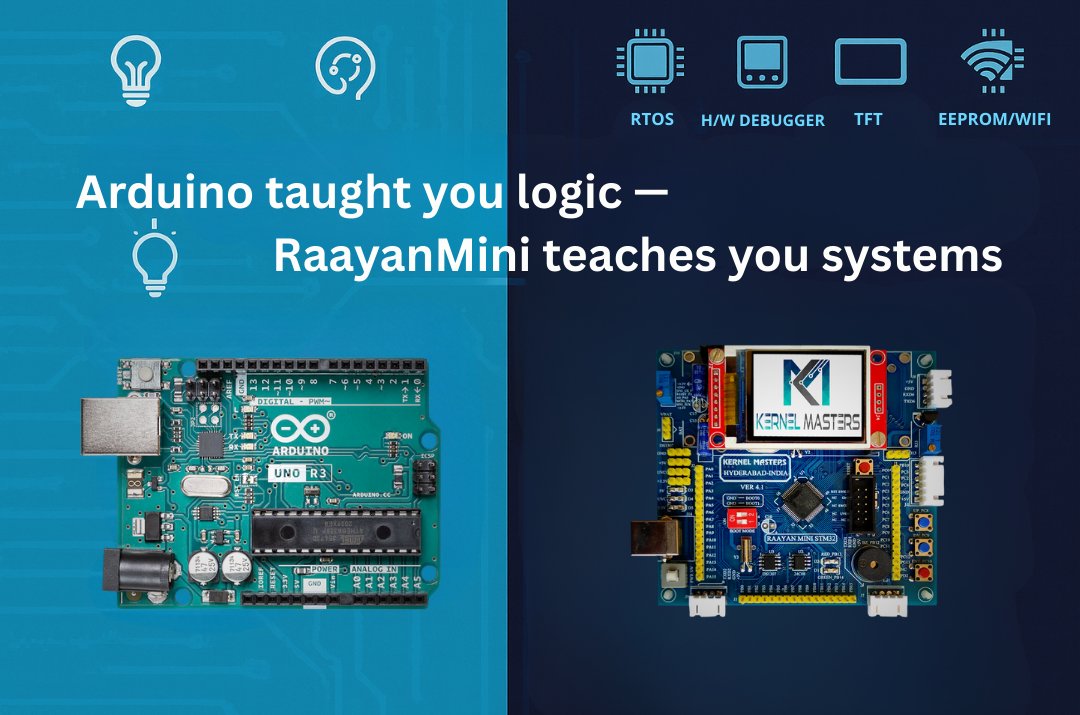
During Kernel Masters awareness sessions, these ideas are demonstrated using the Raayan Mini development board based on the STM32F401RBT6 ARM Cortex-M4 microcontroller.
Industry Readiness
What Does an Embedded Software Engineer Actually Do?
Many beginners assume: “Embedded Engineer means someone who writes C programs.” Writing code is important, but it is only one part of the job.
This is why Embedded Engineering requires more than programming knowledge. You need to understand the relationship between hardware and software.
Electronics Graduate vs Software Programmer vs Embedded Engineer
An electronics student already has an important advantage: you are studying the hardware foundation. The next step is learning how to apply that knowledge through software and practical implementation.
| Profile | Main Focus |
|---|---|
| Electronics Graduate | Academic foundation in electronics and engineering |
| Software Programmer | Software logic and application development |
| Embedded Hardware Engineer | Electronic circuits, PCB and hardware design |
| Embedded Software Engineer | Software interacting directly with hardware |
| Firmware Engineer | Low-level software controlling a device or system |
Knowing is not the same as implementing
You may know what an ADC is academically. But can you connect a temperature sensor to a microcontroller, configure the ADC, acquire the voltage, convert it into temperature and make a decision based on that value?
“Build Successful” Does Not Mean Product Successful
Your program may compile perfectly. You flash the program. But the LED does not turn on. Possible reasons include wrong pin selection, incorrect hardware connection, peripheral clock not configured, wrong register settings, hardware fault, logic error or timing issue.
A good Embedded Engineer is not someone whose code never fails. A good Embedded Engineer knows how to systematically find out why it failed.
Does Every Embedded System Need an Operating System?
No. The right software platform depends on product complexity, timing needs, hardware resources and system requirements.
Bare-Metal Firmware
A simple microcontroller application can run directly without an operating system.
RTOS
As timing and task complexity increases, engineers may use an RTOS such as FreeRTOS.
Embedded Linux
For more complex connected products, Linux may be suitable because it supports rich drivers, networking and system software.
Connected / AI Systems
Depending on the application, engineers may also work on IoT, gateways, edge processing or Embedded AI workflows.
Can a Software Bug Affect the Physical World?
Yes. This is one major difference between Embedded Software and many ordinary software applications.
Embedded firmware may control motors, relays, power systems, sensors, batteries, industrial equipment, automotive functions or medical systems. A software problem can therefore affect the behaviour of a physical product.
Career directions in Embedded Systems
Embedded Systems opens multiple career directions. In industry, job titles may overlap depending on the company and product, but students commonly see roles such as:
Beginner roadmap: Electronics Fundamentals → C Programming → Embedded C → ARM / STM32 → GPIO, ADC, Timers, Interrupts → UART, I²C, SPI, CAN → RTOS → Embedded Linux → IoT → Embedded AI / Edge AI
Depending on the product and career direction, an embedded engineer may work with microcontroller firmware, RTOS, Embedded Linux, connected systems, IoT or Embedded AI.
Today’s Challenge
Look Around Your Home and Identify Five Embedded Products
For each product, try to identify the system flow before Day 2.
What Comes Next?
Today we discovered where Embedded Systems exist. But the next question is more interesting: what is actually happening inside an embedded product?
How does a sensor communicate with the processor? What does firmware actually do? How does software control hardware? Why do we need UART, I²C, SPI or CAN?
Day 2 — Inside an Embedded Product: Sensor → Processor → Firmware → Decision → Action
Final Thought
Your engineering degree gives you the foundation. Becoming industry-ready requires you to connect academic knowledge with real hardware, software, debugging and product development.
Prepare to become an Engineer who can understand, build, debug and explain a real system.
Kernel Masters
Industrial Embedded AI & IoT Software Developer Program
Learn → Implement → Debug → Demonstrate

 Admission for 6 months Embedded AI & IoT offline course at Hyderabad & Bangalore
 Course Fee: ₹12000 /-