


Loading...
Hi, How Can We Help You?
  • +91 9949062828
  • Address: Hyderabad | Bengaluru
  • Email Address: info@kernelmasters.com
September 28, 2026

Embedded Firmware Engineering: Course Setup, Board Test & Resources

WORKING PROFESSIONALS · COURSE SETUP & RESOURCES

Welcome to Embedded Firmware Engineering

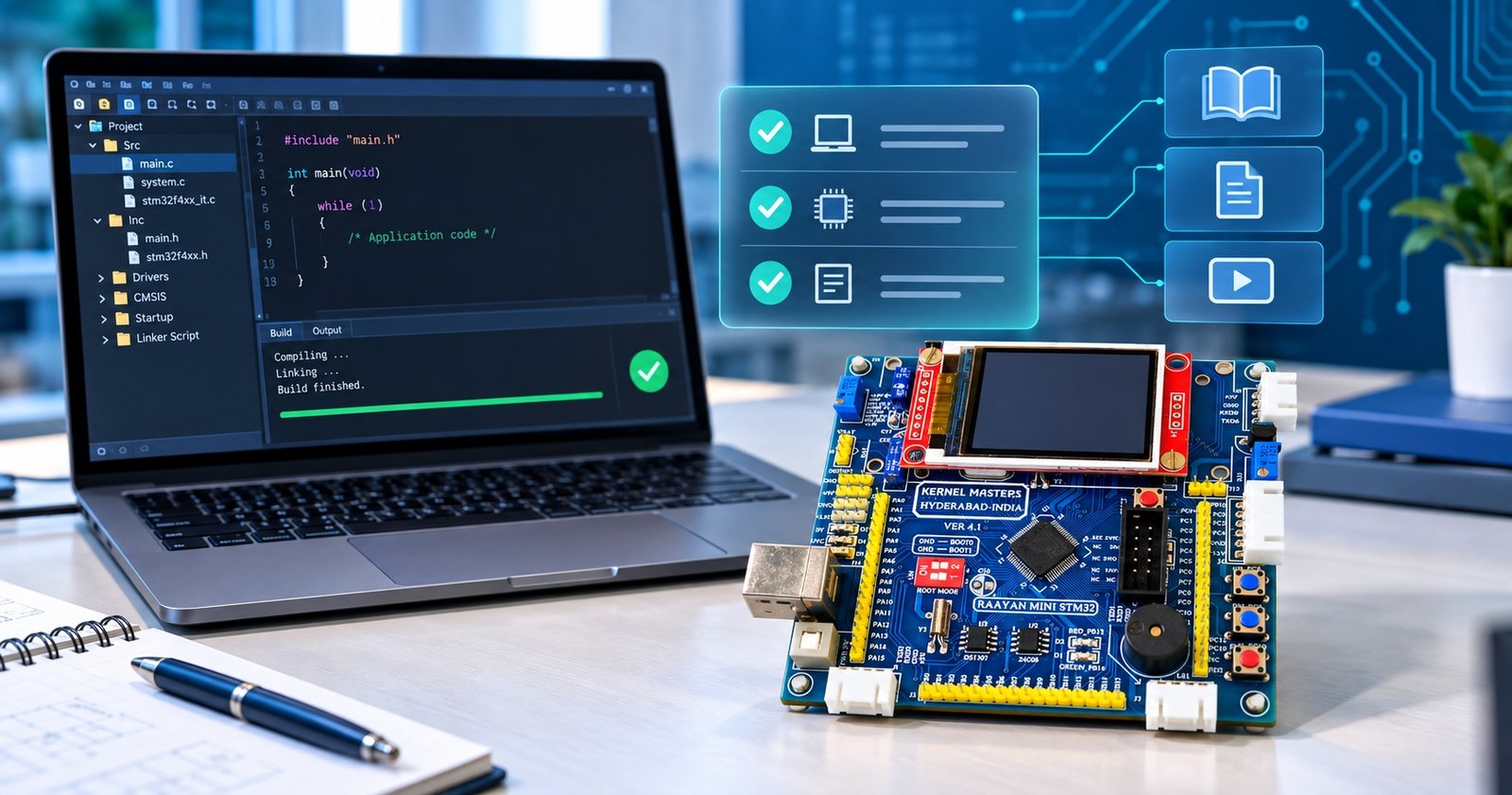
This guide brings together your development environment setup, mandatory Raayan Mini board test, learning resources and recommended preparation for Embedded Firmware Engineering with RTOS & AI.

START NOW

Set up Keil, the required Keil DFP Package and ST-LINK drivers for bare-metal practicals.

ON ARRIVAL

Test your Raayan Mini as soon as it arrives, before flashing any other firmware.

HAL MODULE

Install STM32CubeMX later, when your instructor begins HAL programming.

01

Set up your development environment

Install only the tools needed for your current course stage. Start with bare-metal programming; introduce STM32CubeMX when HAL programming begins.

Stage 1

Bare-metal programming — install now

Complete this setup before the initial Embedded C practical sessions.

Install Keil µVision IDE

Follow the version and procedure specified by the KM team.

Install Keil DFP Package

Use the STM32 device family package specified for KM assignments.

Install ST-LINK drivers

Prepare your computer for the debugger connection.

Verify the setup

Follow the checks shown in the installation walkthrough.

Mandatory version check: The published KM setup instructions specify Keil DFP Package v2.71.1. Follow any newer requirement communicated by your instructor.

Stage 2

HAL programming — install later

Install STM32CubeMX only when your instructor starts the HAL module. It is not required for your initial bare-metal setup. Follow the version and installation instructions provided by your instructor at that stage.

STM32CubeMX walkthroughs — for the HAL module

02

Test your Raayan Mini board

Every enrolled student must complete the board test when the board arrives. If you have not received yours yet, you can complete the software setup and reading materials meanwhile.

Receive the board

Inspect the board and prepare the supplied test procedure.

Run the diagnostic test

Follow the board-testing video step by step.

Report any failure

Message the KM Admin team through WhatsApp using your registered number, or email the official support address.

Then begin your practicals

Do not flash another firmware image until the initial diagnostic test is complete.

Why this comes first: KM boards are tested before dispatch. Your arrival test establishes the board’s condition before you load other programs. The current KM guidance states that responsibility is not accepted if you skip this test and flash another firmware image first.

03

Raayan Mini GitHub repository

</>

Board documentation, examples & projects

Use the official Raayan Mini repository as a reference while practising on STM32 hardware.

  • Board documentation
  • STM32 example programs
  • Sample project source code
  • Supporting technical references

04

KMLearnX learning portal

▤

Your course learning dashboard

Use your KMLearnX account for course materials and progress information.

  • Recorded concept lessons, per course policy
  • Class notes & lab assignments
  • Attendance records
  • Grades & performance reports

Login access: Credentials will be shared during the upcoming online interactive session. If you already have access, use your assigned account. Interactive-session recordings are not part of the standard course delivery; refer to your batch policy.

05

Recommended prerequisite reading

Review these materials before the course begins to strengthen your Embedded Systems and ARM microcontroller fundamentals.

01

Arduino Uno vs Raayan Mini

Compare two development-board approaches.

↗

02

Raayan Mini development board

Get familiar with the STM32 training platform.

↗

03

Embedded Systems basics

Review key concepts used in embedded products.

↗

04

ARM architecture

Prepare for ARM microcontroller concepts.

↗

06

Readiness checklist & support

Prepare for the initial practicals now. Complete the board test when your Raayan Mini arrives, and install HAL tools later when instructed.

Start now

Before your first practical session

  • Keil IDE and specified Keil DFP Package installed
  • ST-LINK driver setup completed
  • GitHub and prerequisite links bookmarked
  • KMLearnX login details noted when shared

When the board arrives: Complete the mandatory Raayan Mini diagnostic test before flashing any other firmware. When HAL begins: install STM32CubeMX as directed. A pending board delivery is not a reason to install HAL tools early.

Need help with setup or board testing?

Contact the KM Team through the official WhatsApp channel using your registered number, or email info@kernelmasters.com. Include your course/batch details and a brief description or screenshot of the error.

Learn → Implement → Debug → Demonstrate.

Leave a Reply

Your email address will not be published.

This field is required.

You may use these <abbr title="HyperText Markup Language">html</abbr> tags and attributes: <a href="" title=""> <abbr title=""> <acronym title=""> <b> <blockquote cite=""> <cite> <code> <del datetime=""> <em> <i> <q cite=""> <s> <strike> <strong>

*This field is required.

🚀 Admission for 6 months Embedded AI & IoT offline course at Hyderabad & Bangalore
🚀  Admission for 6 months Embedded AI & IoT offline course at Hyderabad & Bangalore
1s
C Programming & Data Structures
Working Professional
🕮 Kishore Kumar Boddu | 【┘】 2 Months
About This Course

This course is designed for working professionals who want to build a strong foundation in C Programming and Data Structures.
Starting from the fundamentals, the course focuses on practical programming, problem solving, pointers, strings, memory concepts and core data structures — helping learners strengthen their programming skills and prepare confidently for technical interviews.

Course Objective
  • Build in-depth knowledge of C Programming from the fundamentals
  • Gain hands-on experience with core C programming features
  • Develop a strong understanding of pointers, strings, arrays and memory concepts
  • Improve problem-solving and programming skills
  • Become interview-ready for C Programming technical rounds
  • Implement Data Structures using C
Course Details:
  • Batch Starts: 1st Oct 2026
  • Duration: 2 Months
  • Class Timings: 7 PM – 8:30 PM
  • Mode: 100% Online Blended Learning
         (Online Interactive Session + Primer Videos)
  • Prerequisite: Basic Linux knowledge and familiarity with common terminal commands
👉 Course Fee: ₹12000 /-
Working Professional
C Programming & Data Structures
🕮 Kishore Kumar Boddu  |【┘】2 Months
About This Course:
This course is designed for working professionals who want to build a strong foundation in C Programming and Data Structures.
Starting from the fundamentals, the course focuses on practical programming, problem solving, pointers, strings, memory concepts and core data structures — helping learners strengthen their programming skills and prepare confidently for technical interviews.
Course Objectives:
  • 1. Build in-depth knowledge of C Programming from the fundamentals
  • 2. Gain hands-on experience with core C programming features
  • 3. Implement Data Structures using C
  • 4. Improve problem-solving and programming skills
  • 5. Develop a strong understanding of pointers, strings, arrays and memory concepts
  • 6. Become interview-ready for C Programming technical rounds
  • Duration: 2 Months
  • Class Timings: 7 PM – 8:30 PM
  • Mode: 100% Online Blended Learning
    (Online Interactive Session + Video Primers)
  • Prerequisite: Basic experience with Linux
Course Details:
Course Fee:
₹12000 /-