


Day 2 · Embedded Systems Awareness Course
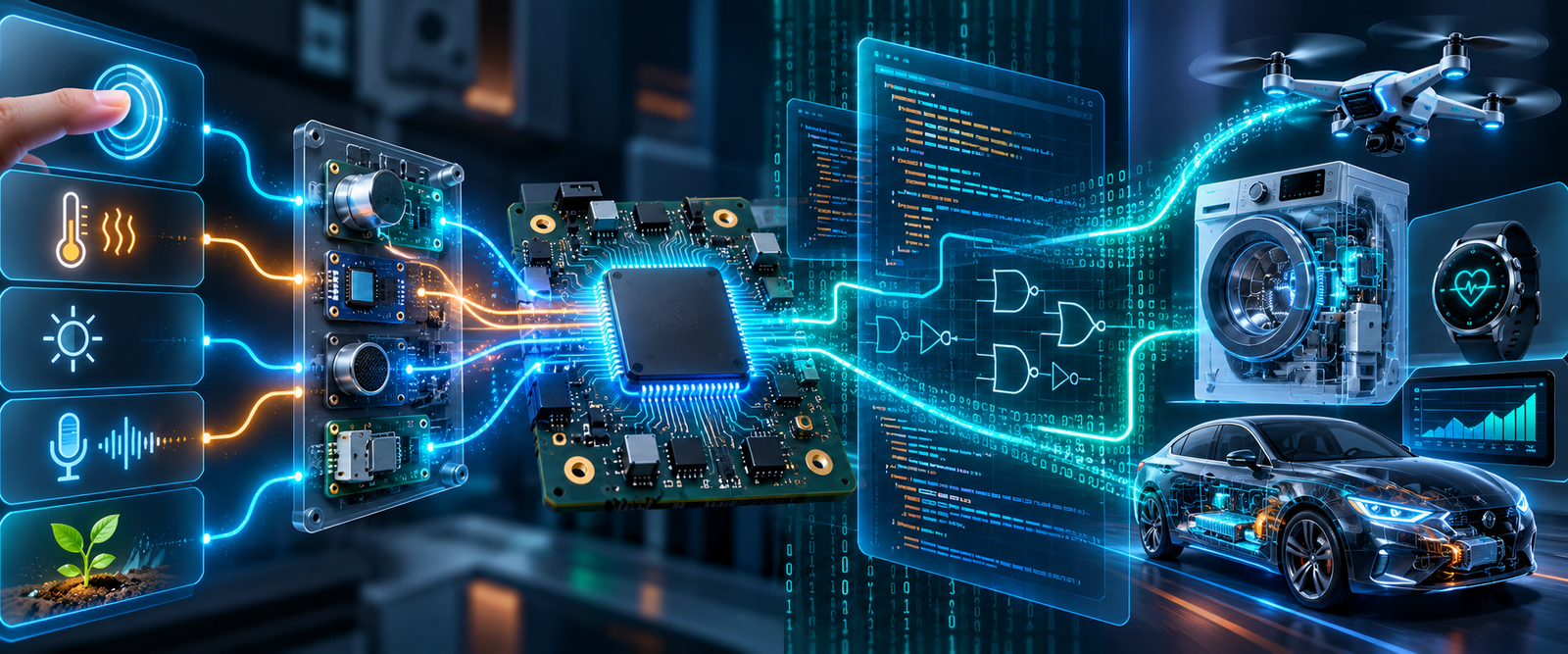
From Sensor to Processor to Firmware to Action
Embedded Systems are everywhere around us — in smartphones, washing machines, smartwatches, cars, Wi-Fi routers, medical equipment, industrial machines and even simple remote controls.
In Day 1, we discovered where Embedded Systems are used. Today, we go one step deeper and ask: what actually happens inside an embedded product?
01 · Button to Action
What Happens When You Press a Button?
Let us start with a simple example. Imagine pressing a button on an electronic product. A common assumption is that the button directly controls the LED, motor or buzzer.
But in most modern embedded products, that is not how it works. The button creates an input. The microcontroller reads that input. The firmware decides what action the product should perform.
Do you know it?
When you press a button on an embedded product, what part of the system decides what happens next?
02 · Real Product Example
Inside a Washing Machine
A washing machine is a very good embedded-system example because almost everyone understands the product from the outside. But internally, many decisions happen after you press the START button.
Inputs the machine may read
- Start button
- Door sensor
- Water-level sensor
- Temperature sensor
- Load sensor
Outputs it may control
- Motor
- Water inlet valve
- Heater
- Display
- Buzzer and drain pump
The firmware checks questions such as: Is the door closed? Is enough water available? Which wash mode was selected? How long should the motor rotate? When should the direction change?
Based on these decisions, the product controls motors, valves, pumps, display and alerts. So a washing machine is not simply electrical hardware. It is a combination of sensors, electronics, processor, firmware and outputs.
03 · System Layers
Hardware, Firmware, Operating System and Application
Students often hear these terms, but they may not clearly understand the difference. Let us simplify them.
| Layer | Meaning | Examples |
|---|---|---|
| Hardware | The physical electronic system that provides capability. | Microcontroller, processor, memory, sensors, display, motor, communication ICs and power electronics. |
| Firmware | Low-level software that controls the hardware and defines product behaviour. | Sensor reading, motor control, alarm logic, communication handling and peripheral configuration. |
| Operating System | Used when the product becomes complex and needs task, memory, driver and resource management. | FreeRTOS, other RTOS platforms, Embedded Linux and Android. |
| Application | The user-facing functionality built above lower software layers. | Smartphone apps, dashboards, screens, settings and product features. |
Example: Android stack
Android uses the Linux kernel as its low-level operating-system foundation. The Linux kernel handles important functions such as memory management, process management, device drivers, hardware access and networking.
This is one reason why Linux is an important skill in the embedded industry. It can lead toward careers in Embedded Linux, Linux Device Drivers, Android platform development, BSP development, semiconductor software and system software.
04 · Universal Flow
The Universal Embedded System Flow
Almost every embedded system can be understood through one simple flow. Something happens in the physical world, the product senses it, the processor receives information, firmware makes a decision, and the product creates an output or communication response.
Analog and digital inputs
Some inputs are already digital, like a button. Some inputs are analog, like a sensor voltage. Analog inputs usually need an ADC before firmware can process them.
Do you know it?
A temperature sensor gives an analog voltage. Can the microcontroller directly understand that voltage as temperature?
Examples of the same flow
| Product | Input | Processing / Decision | Output / Communication |
|---|---|---|---|
| Temperature monitor | Temperature sensor and ADC value | STM32 firmware calculates temperature | Display, fan or alarm |
| Car parking sensor | Ultrasonic sensor detects obstacle distance | Firmware calculates distance and warning level | Buzzer frequency changes |
| Smartwatch | Accelerometer detects body movement | Processor runs signal processing and step-count algorithm | Display update or Bluetooth communication |
| Smart weather monitor | Temperature and humidity sensors | Firmware processes data and checks abnormal conditions | Display, Wi-Fi/cloud update or buzzer alert |
05 · Firmware and Debugging
Real Hardware Makes the Difference
Embedded systems cannot be understood only through presentation slides. Real learning starts when software interacts with actual hardware.
For example, using the Kernel Masters Raayan Mini STM32 platform, students can observe a simple system:
Same hardware. Different firmware. Different behaviour.
The hardware remains almost the same. The product behaviour changes because the firmware changes. This is one of the most powerful characteristics of embedded software.
What does an embedded software engineer actually do?
Many students assume, “Embedded Engineer means C programmer.” C programming is extremely important, but embedded engineering involves much more than writing code.
An embedded software or firmware engineer may read circuit schematics, study processor datasheets, configure peripherals, write Embedded C, develop drivers, interface sensors, implement communication, test hardware, debug failures, integrate modules, use Git/version control and coordinate with hardware and testing teams.
A program may compile successfully but still fail on hardware. Possible reasons include wrong GPIO pin, incorrect clock configuration, wrong peripheral configuration, wiring problem, timing issue, protocol failure, power-supply issue, logic error or memory problem.
A strong embedded engineer must know how to find the root cause when something does not work.
Two small academic connections
Processor evolution
The Intel 4004, introduced in 1971, is widely recognized as an early commercially available single-chip microprocessor. From early processors, the industry evolved toward modern microcontrollers such as STM32 that integrate CPU, RAM, Flash, timers, ADC, UART, SPI, I²C, CAN and interrupt controllers in one device.
Digital electronics inside processors
Binary subtraction can be implemented using addition through two’s-complement arithmetic. This connects classroom concepts such as binary numbers, adders and complements to processor architecture.
06 · Interfaces and Careers
How Does the Processor Communicate With Other Devices?
A microcontroller usually does not work alone. It may communicate with sensors, memories, displays, other processors, communication modules, automotive controllers and industrial devices.
| Protocol | Common use | Typical examples |
|---|---|---|
| UART | Simple serial communication | Debug console, GPS, Bluetooth module, Wi-Fi modem and serial devices |
| I²C | Multiple low-speed devices using fewer communication lines | EEPROM, RTC, accelerometer, temperature sensors and low-speed peripherals |
| SPI | Relatively fast peripheral communication | TFT displays, Flash memory, ADCs, SD cards and sensors |
| CAN | Reliable communication between controllers | Automotive systems, industrial control and multi-controller systems |
Do you know it?
Which communication protocol is strongly associated with communication between Electronic Control Units in automobiles?
One embedded product can involve many career roles
A single smart product may involve different engineers. This helps students understand that embedded systems is not one narrow job title; it is a complete engineering ecosystem.
| Role | Works on |
|---|---|
| Hardware Engineer | Circuit design, power, interfaces and board design |
| Firmware Engineer | Microcontroller, peripherals, drivers and low-level Embedded C |
| Embedded Software Engineer | Product logic, system integration and software architecture |
| RTOS Engineer | Tasks, scheduling, synchronization and timing |
| Embedded Linux Engineer | Linux platform, system software, BSP and Linux configuration |
| Linux Device Driver Engineer | The interface between operating system and hardware |
| IoT Engineer | Connectivity, MQTT, gateways and cloud communication |
| Embedded AI Engineer | Intelligent decision-making closer to the device, where applicable |
Five Important Takeaways From Day 2
Day 2 observation task
Choose any one product: smartwatch, washing machine, car, drone, smart AC or medical device.
Try to identify the product using these checkpoints:
Explain the product using this simple format:
Final Thought
An Embedded Engineer understands what the hardware can do, how software controls it, how devices communicate and how to debug when things go wrong.
 Admission for 6 months Embedded AI & IoT offline course at Hyderabad & Bangalore
 Course Fee: ₹12000 /-